

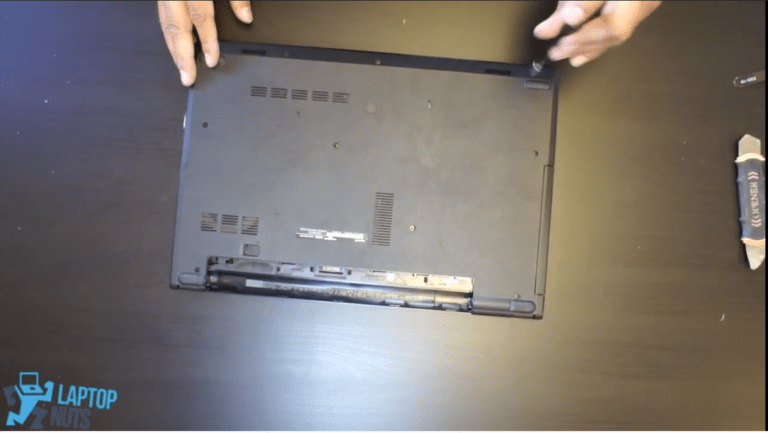
Laptop Dell Inspiron 15-3583 Disassembly Take Apart Sell

Another video from our YouTube/laptopnuts channel on how to disassemble Dell Inspiron 15-3583. Use at your own risk! Laptop condition in this video is used. We use laptops used, old, or new for the demo purpose only. This tutorial information typically used for fixing/repairing or for selling parts of Dell Inspiron 15-3583 laptop. Dell Inspiron 15-3583 laptop disassembly steps:
  • Bottom case cover ~0:20
  • Rechargeable Lithium Battery ~2:31
  • Memory RAM ~3:10
  • 2nd drive caddy ~3:15
  • CPU Fan & Heatsink ~3:36
  • WiFi & Bluetooth board ~4:55
  • LCD Assembly hinges & brackets ~5:20
  • IO board ~6:00
  • Thermal Support Bracket for M.2 SSD ~6:40
  • Motherboard & CPU ~7:05
  • DC power jack ~7:25
  • LCD Screen connections ~7:35

Subscribe to our YouTube channel and our laptopnuts.com/blog for new laptop related articles and videos. And please feel free to comment and evaluate how we did Dell Inspiron 15-3583 laptop disassembly!

Need to sell your used or old Dell Inspiron 15-3583 laptop? Sell it to LaptopNuts for cash online!

Share this:

Latest posts

Sell Laptop Back

IntroductionAre you looking to upgrade your laptop or simply want to declutter your space? Selling your old laptop can ...

Jun 15, 2018

Sell Laptop

Selling Laptops for Parts - How to Break Down the Most Valuable Components How do you sell laptops for parts and ge ...

May 24, 2020

Sell Used Laptop

Selling Used Laptop Today Our modern world is full of progressive things; everyone has a laptop. This portative a ...

Feb 24, 2016